
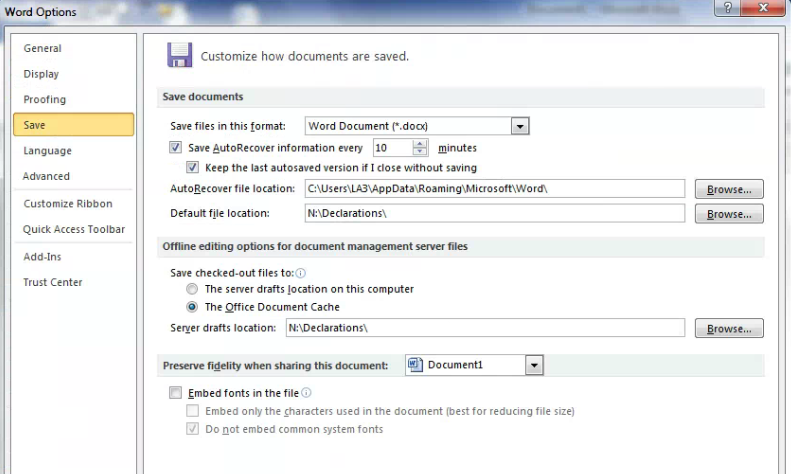
To change the default folder that files are saved to click on File \ Options \ Save.
The field that controls where files are saved is "Default file location:".
- Click on the Browse... button \ navigate to the folder of your choice and select it \ hit the OK button \ you're done.
- Hit the OK button on the Word Options window to close it.
See snapshot below for reference.
Comments
1 comment
Thanks DP!
Please sign in to leave a comment.