
Click Submit a Request
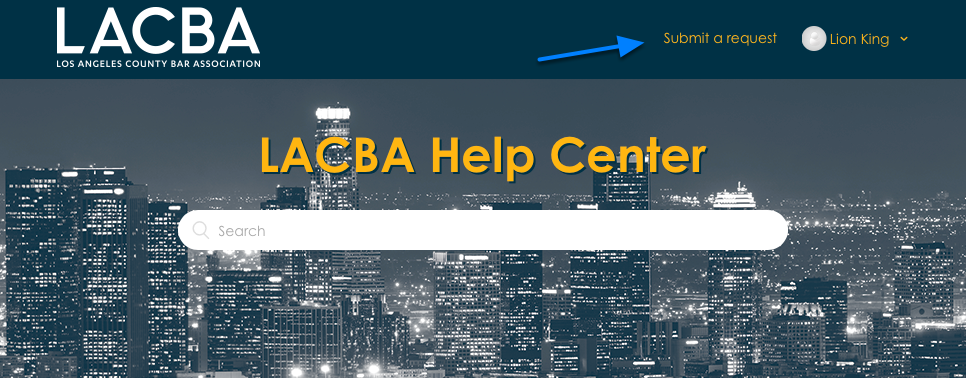
Click on Submit A Request at the top of the page. If you do not see the link, please log in.
Complete Form
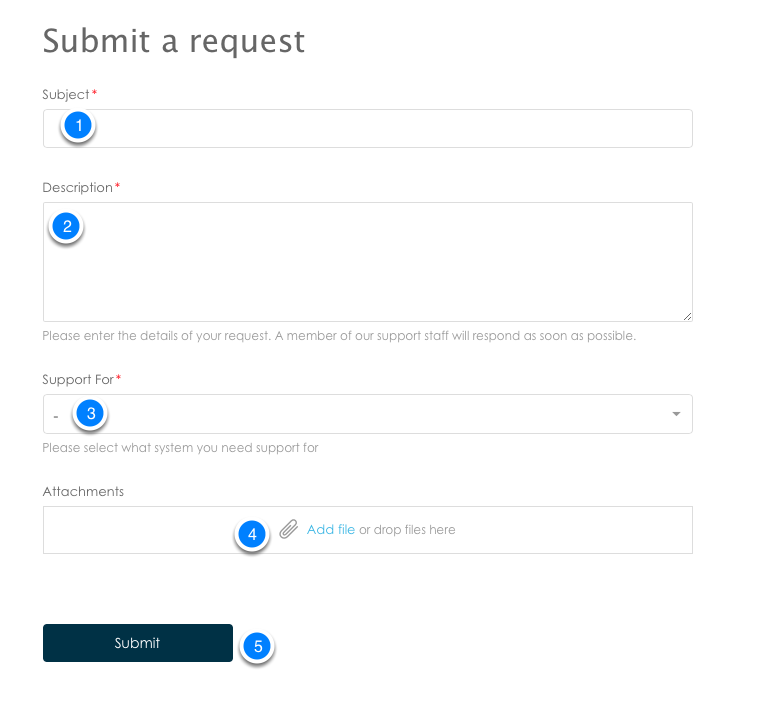
Complete the form to submit a request completing the information as follows:
- Subject: Enter a brief subject for your request
- Description: Enter the details about what you need assistance with. Be as detailed as possible. if you are reporting an issue, please include the steps to reproduce the issue. Include any ID numbers, Order Numbers, Event Codes, URLs or any other information that are related to your request. The more detail the better.
- Support for: Select what you want support for from the drop down list: i.e. iMIS > Staff Site > Events
- Attachments: Attach any files such as screen shots or reports related to your request.
- Press submit.
Comments
0 comments
Please sign in to leave a comment.