
The cultivation list provides a PDF of targeted major donors associated with a specific moves manager. The PDF has the contact information Donation history, Committee history, Cultivation Activities and the Cultivation Plan for each prospective donor.
How to generate the report
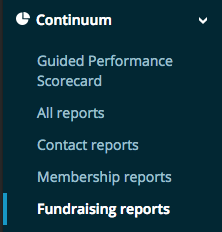
Navigate to Continuum > Fundraising Reports
Double Click the Moves Management folder
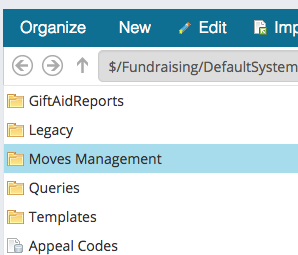
Double click DonorCultivationByMovesManager.rdl

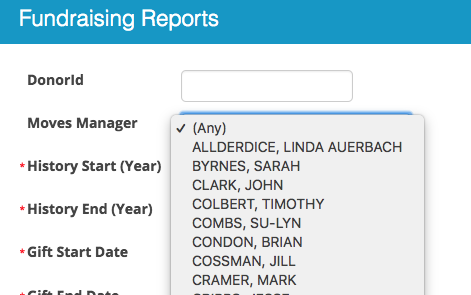
On the report that pops up, select a Moves Manager from the drop down list. Leave the Donor ID field blank unless you want to print the report for a single donor.
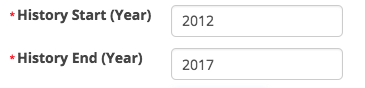
Enter the start and end year that you want for Committee History. In this example, I would get all committee history for the donor for any committee terms that started or ended in 2012 through 2017
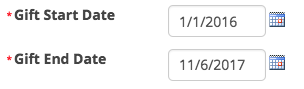
Enter the start and end date for the donation history. In this example, the report would return all gifts from 1/1/2016 to 11/6/2017.
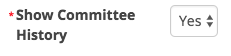
If you do not want committee history to show on the report, select No for Show Committee History
If you do not want the Notes or Cultivation Activities to show on the report, select No for Include Notes

If you do not want the cultivation plan to show on the report, select No for Include Cultivation Plan

Once you have made all of your selections, press refresh.
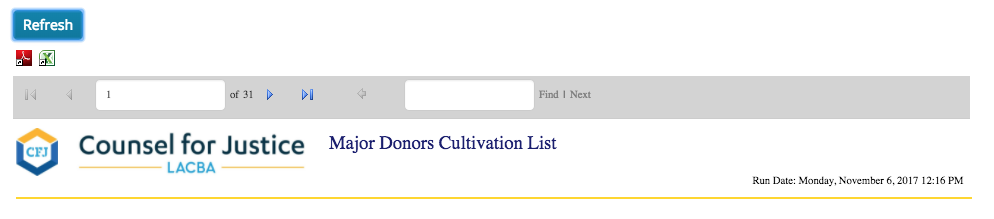
To export the PDF, click the  Adobe Acrobat icon .
Comments
0 comments
Please sign in to leave a comment.