
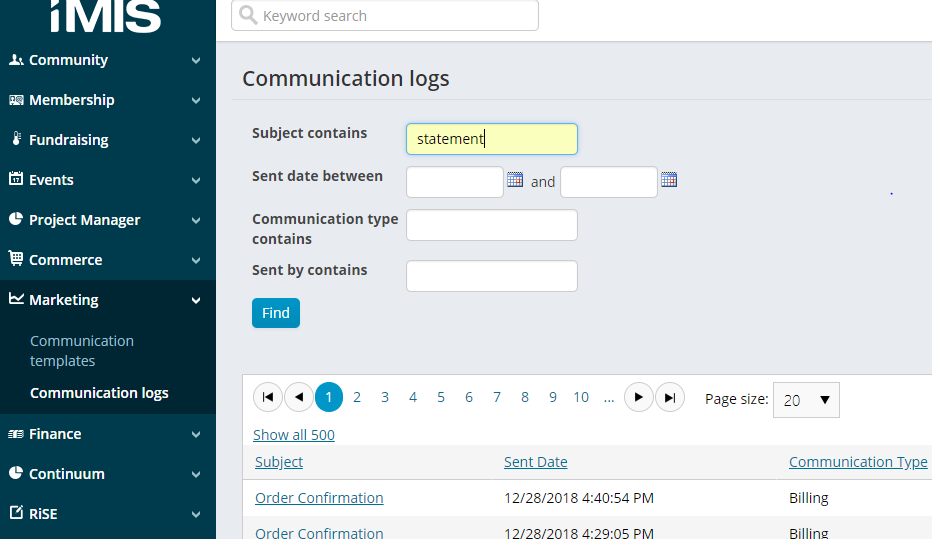
1. In iMIS Staff Site, using the Left Hand Navigation, select Marketing, Communications logs. In the Subject contains box, type "statement" and then click Find.
2. Look for LACBA Statement. It will show how many were sent, delivered and not delivered. Select LACBA Statement.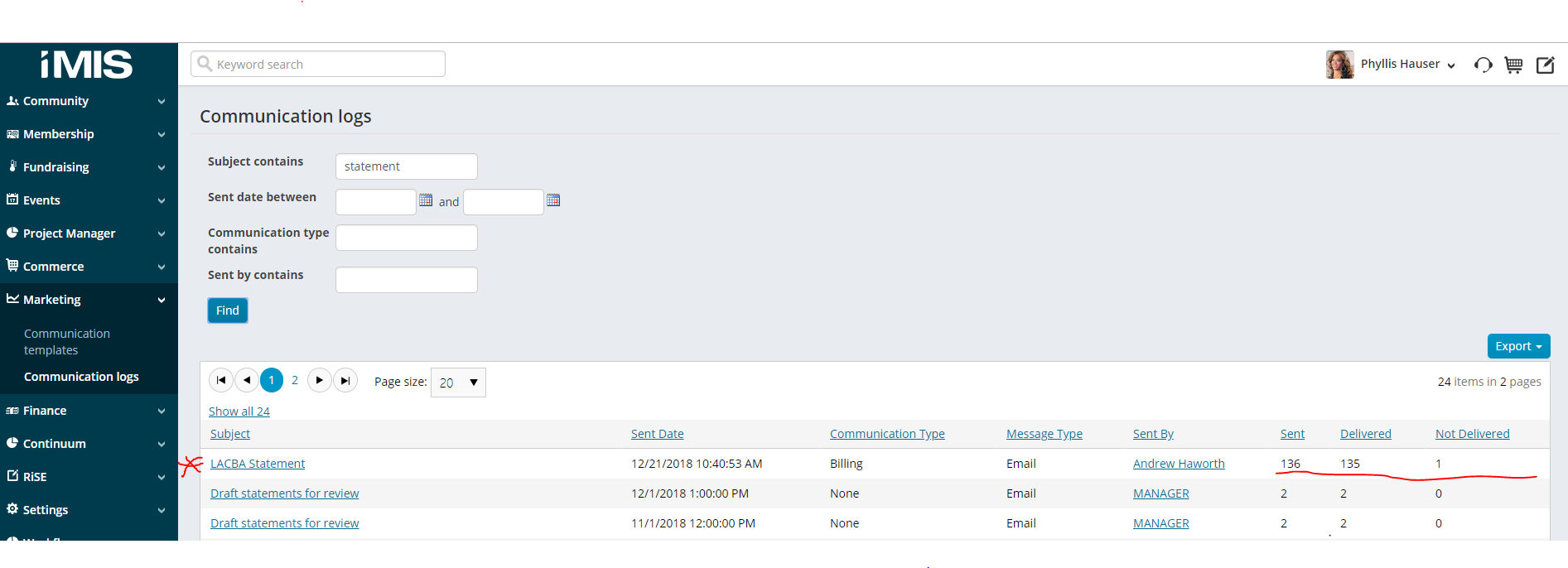
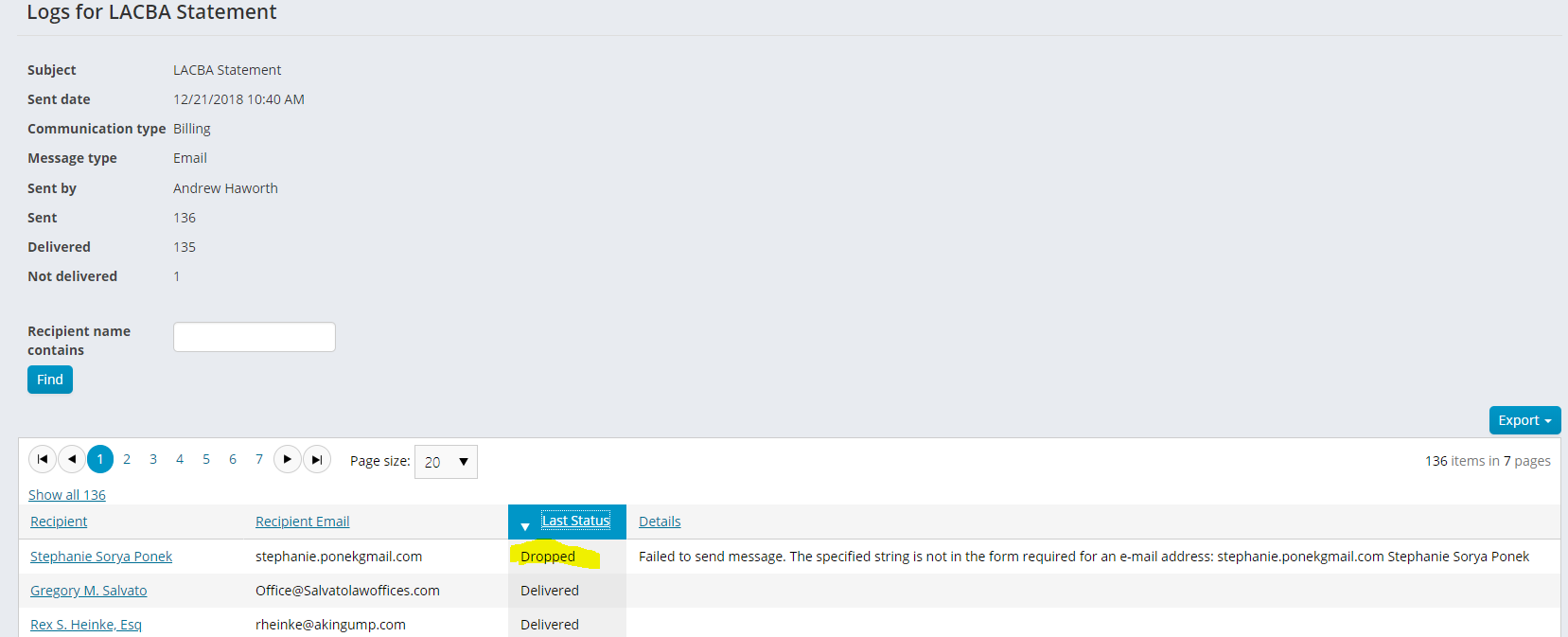
3. A list will show where the statements were sent and their Last Status. Click on the Last Status column header until it sorts showing "Dropped" at the top of the list. The details will indicate why the statement was not sent. In the case of Stephanie Sorya Ponek, the email address was not formatted correctly. (See below...)
Comments
0 comments
Please sign in to leave a comment.