
- Log into iMIS Staff Site at http://crm.lacba.org
- Under "Community" click on "Security"
- Click on "Users"
- Change "Select a Query" to "Users"
- Search for the member in question and click the "Find" button
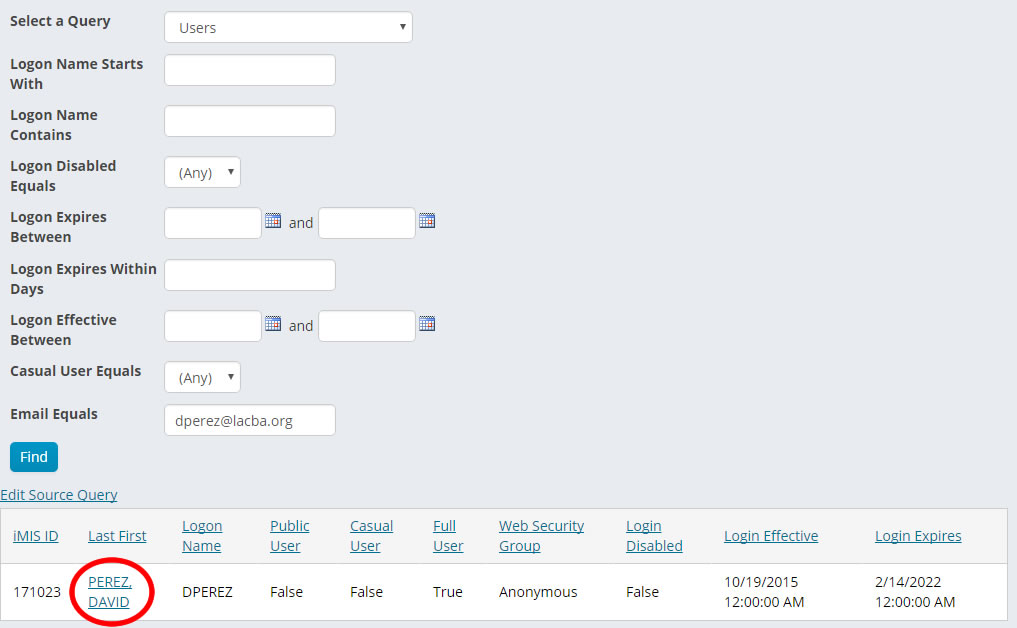
- Click on the members' name
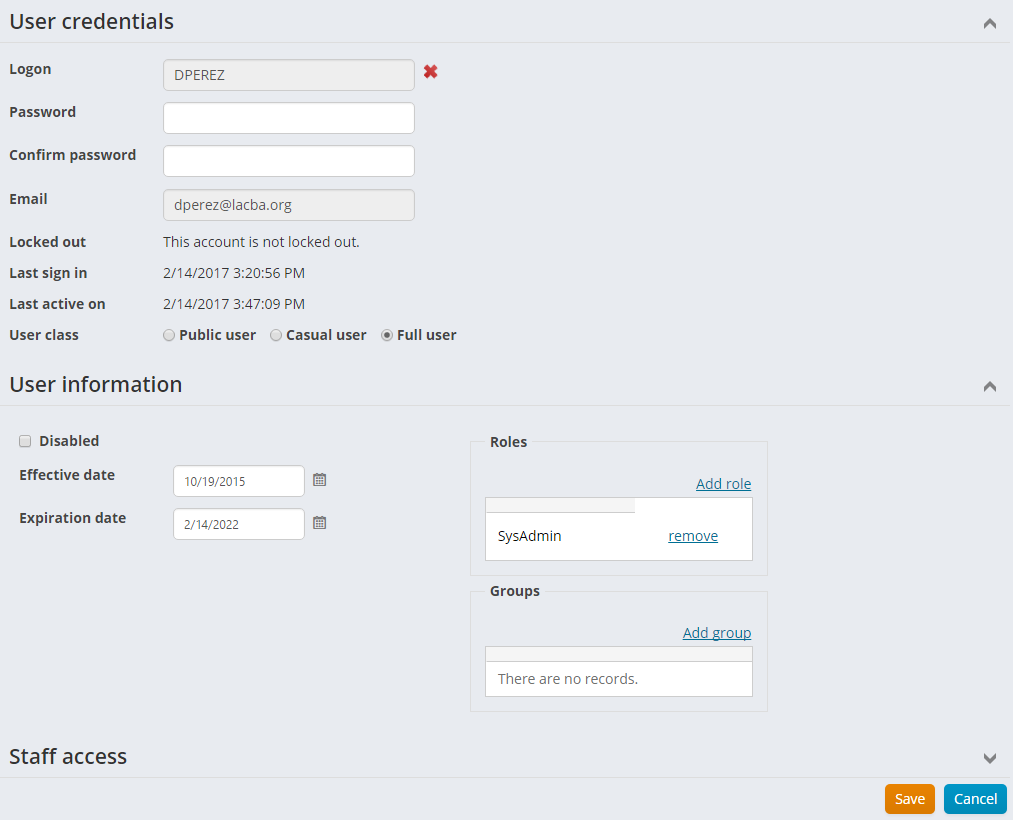
- Type in the new password
- Click the "Save" button
- You'll receive a successful message in green

Comments
0 comments
Please sign in to leave a comment.